VPN Streaming 2026: Watch Netflix & Disney+ in 6 Countries
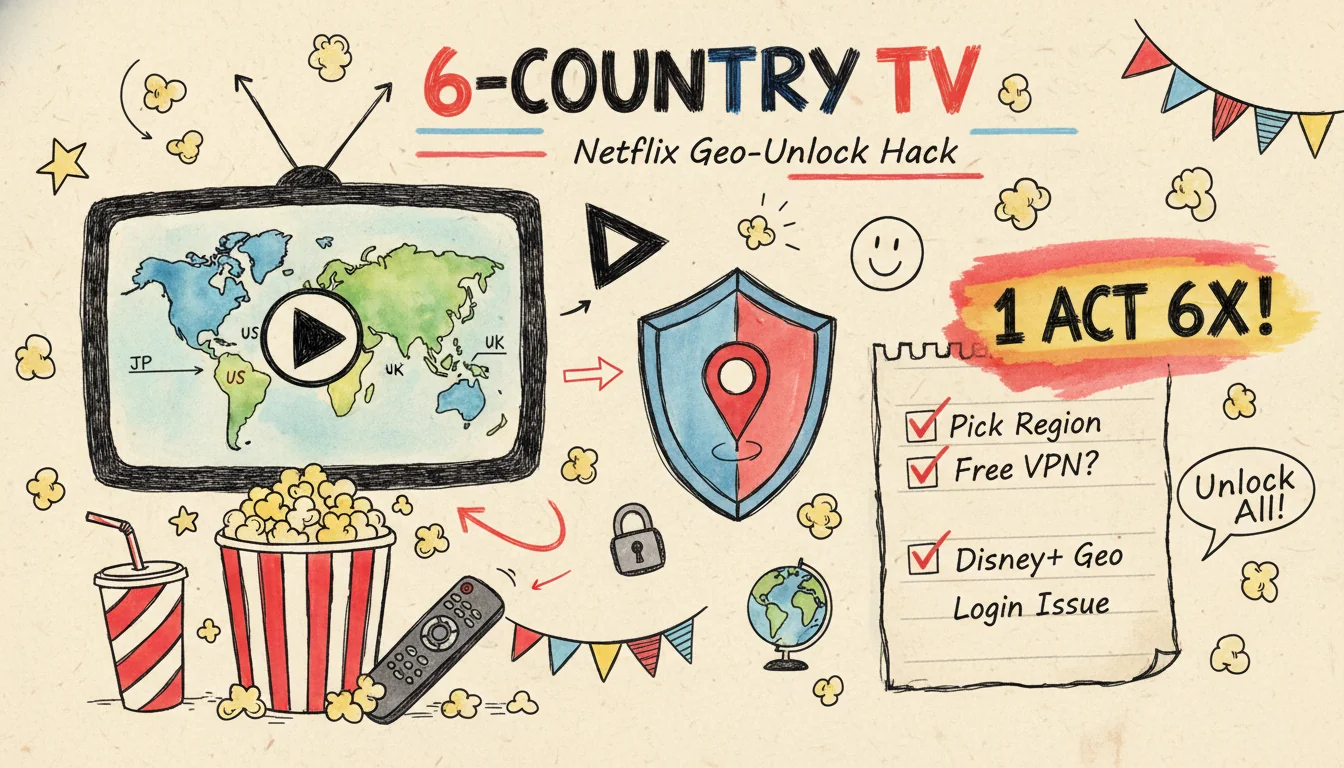
"Same Netflix subscription, but how come my friend can find that Japanese anime and I can't?" My cousin pinged me on LINE last week with that question. She thought her phone was broken. It wasn't. I didn't get it either at first, but after digging in I found out: you and I pay the same monthly fee, but the catalogues we see are two different lists.
This has nothing to do with your phone.
This is a beginner-friendly guide to watching streaming across regions. I will start with why the libraries are different. Then I will walk you through what each country's library actually has, how to switch regions with a VPN, and how to recover when a region switch fails. We will end with the real risks of free VPNs. No tech background needed. Just follow along.
Why does the same Netflix have different libraries?
The answer is licensing. Streaming platforms buy film and TV rights country by country. The same movie has a separate contract for "Japan broadcast rights" and "Taiwan broadcast rights." The studio might sell Netflix only the Japan rights. The Taiwan rights? Sold to a competitor.
So the library is not a single global pool. Netflix runs in over 190 countries. Every country gets a different list. That anime you cannot find is not hidden somewhere. Netflix simply never bought the Taiwan rights for it.
It is not Netflix being stingy. Licensing has always worked this way. I used to assume swapping the language or subtitle setting would surface more titles. That is a different thing entirely. Language only changes the interface. The library gap stays put.
Switching regions is what closes that gap.
What does switching Netflix regions actually unlock? 6 countries compared
First, what is "region switching"? It is simple. You use a VPN to route your internet connection through a server in another country. Netflix then sees the IP of that VPN server instead of your home IP. It assumes you are in that country and serves you that country's library. That is the whole trick.
Every region has its own strengths. Below is a table I put together from various tests and library databases, picking the 6 regions people switch to most often:
| Region | Library highlights | Best for |
|---|---|---|
| 🇺🇸 United States | Broadest baseline. Hollywood blockbusters, US dramas, documentaries, and stand-up specials usually launch here first | Mainstream Western drama fans |
| 🇯🇵 Japan | The largest anime catalogue. Both new seasonal shows and classic series. This is anime fans' home turf | Anime fans |
| 🇭🇰 Hong Kong | Asia mix region. Cantonese or Mandarin audio options, plenty of HK films, plus some mainland Chinese dramas | Anyone who wants HK films in original Cantonese |
| 🇬🇧 United Kingdom | Rich in BBC-style British dramas, British comedies, and documentaries | British TV fans |
| 🇰🇷 South Korea | Korean dramas and variety shows launch fastest here. Most local content | K-drama fans |
| 🇹🇭 Thailand | Third-party databases show a high count of licensed films. Often treated as a hidden-gem region | Hunting for niche films |
Want to know which countries have a specific title? Search uNoGS, a third-party catalogue database where you type in a title and it tells you which countries carry it. Check there first, then decide which region to point your VPN at. That beats guessing.
The rookie trap is right here. Do not blindly connect to Iceland or the Czech Republic just because someone said "they have massive catalogues." Big library does not mean your specific show is there. Search uNoGS first, then switch. Do not flip the order.
Disney+ is not the same as Netflix: where region switching differs
Disney+ has far less library variation by country than Netflix. Marvel, Star Wars, and Pixar are all Disney-owned, so they launch globally in a fairly uniform way. The differences come from two places. First, non-Disney titles licensed per country. Second, release-date staggering.
The thing that actually trips up newcomers is not viewing. It is payment.
To watch Disney+ in another region, a VPN connection is enough. Paying for it is a different story. Disney+ does not accept foreign credit cards, and it does not take PayPal. To genuinely "subscribe" in another region, you have to route through a Google Play or iTunes account locked to that region. The table below maps the two side by side:
| Item | Netflix | Disney+ |
|---|---|---|
| Library variation by country | Large. Almost a different list per country | Smaller. Self-produced content is more globally uniform |
| Region switch to "watch" | VPN to that country's server | VPN to that country's server |
| Region switch to "subscribe" | Most credit cards work | Foreign cards rejected. Have to go through Google Play / iTunes region |
| Cheapest subscription region | Depends on exchange rate. Turkey and India come up often | Turkey at about NT$149 (~US$4.6)/month, requires a gift card |
A lot of tutorials lump "watching across regions" and "subscribing across regions to save money" into the same thing. Then newcomers follow along and get stuck at the payment step. Remember one thing. To watch, you only need to fool the IP, and a VPN is enough. To subscribe cheaper, you have to change your store account region and switch payment methods. That is a separate headache. This article focuses on the first one.
How do streaming services catch you using a VPN?
Netflix and Disney+ know that people are switching regions. They have three ways to detect VPN traffic. Once you understand all three, it becomes obvious why your VPN works some days and not others.
The first is the IP blacklist. The mechanism is plain. Platforms ingest known VPN server IPs and dump them onto a blacklist in bulk. A single server has too many people piling on at once, so the IP gets flagged fast. Then what? Everyone using that server is locked out together. This is also why free VPNs fail most often. Their IPs were tagged long ago.
The second is a DNS leak. Quick explainer first. Every time your device wants to open a website, it asks the DNS "what IP does this address point to?" That query is supposed to go through the VPN. If it does not, and instead bounces back to your home ISP, your real location leaks out. A good VPN takes over DNS along with everything else.
The third is WebRTC and GPS. The WebRTC video protocol in browsers sometimes leaks your real IP. Mobile apps can read GPS directly. The rookie trap is here. You turn on the VPN but leave location services on. For Netflix this barely matters. But it is a concept worth knowing.
String the three together and the takeaway is clear. When region switching fails, 9 times out of 10 it is not Netflix identifying you personally. It is the server you connected to having its IP on the blacklist.
Switch nodes and it usually works.
Live tests: which servers unblock streaming right now?
Enough theory. Let me show you numbers. I looked at an August 2025 test of NordVPN unblocking Netflix across 9 regions. The results?
US, Canada, Australia, UK, Germany, Japan, Taiwan, South Korea, and Belgium all unblocked successfully. Playback was instant. High definition, almost no buffering. Speeds came in between 147 and 182 Mbps. Cross-country connection loss ranged from about 4% to 23%. Even European nodes far from the test location stayed above 150 Mbps. Plenty for 4K.
Why is NordVPN consistent? Because it runs a separate batch of "streaming-optimized servers" specifically designed to dodge detection. Surfshark and ExpressVPN also unblock Netflix in most tests. The differences mainly come down to speed and stability.
But I have to be straight about one thing.
VPNs versus streaming platforms is a cat-and-mouse game that never stops. The rules change daily. "Works today" does not mean "works forever." Even that report itself notes it will be "updated continuously." The server that unblocks today might get blocked next month. So do not memorize which one server works. Memorize the recovery steps in the next section instead.
Region switch failed? 4 fixes that actually work
A geo-error screen popped up, or you only see Netflix Originals. Do not panic. Run through this order:
- Switch nodes — Same country, pick a different city's server. This solves it most of the time.
- Clear the cache — Clear browser or app cache and cookies, or just open an incognito tab and log in fresh.
- Change protocol — Go into VPN settings and switch the connection protocol to something newer like NordLynx. It tends to punch through more reliably.
- Re-login to Netflix — Log out of Netflix and log back in. That forces it to recheck your region.
If all four still fail, try a different country. Honestly, 9 out of 10 region failures are solved at step 1. No need to stress.
Traveling abroad and want to watch Taiwan Netflix / Disney+: how to set it up
Region switching is not a one-way street. Besides watching foreign libraries from Taiwan, there is a more common scenario. You are abroad on a trip or business, you want to watch a Taiwan drama only your Taiwan account carries, or a Japanese anime licensed only in Taiwan. You open the app and the catalogue is blank.
The fix is to flip the direction. Pick a "Taiwan" server in your VPN, connect, then open Netflix or Disney+, and the platform thinks you are in Taiwan, so the Taiwan library returns. The setup itself is easy. The hard part is three rookie traps:
- Install the VPN app before you leave. Some countries' App Stores or Google Play stores will not let you download a VPN. By the time you land, it is too late. Install and log in at home in Taiwan first.
- Hotel Wi-Fi sometimes blocks VPNs. If you cannot connect, switch to your phone's mobile data or hotspot. That usually does it.
- Do not touch your account region settings while abroad. You only want to "connect back to Taiwan to watch." You are not moving house. Changing the account region makes things really complicated.
Do not worry. This direction is actually simpler because you are connecting to a Taiwan node you already know. Spend 10 minutes setting up before you fly out and you can start watching the moment you land.
Will region switching get my account locked? The payment-country versus viewing-region myth
This is the question new users worry about the most. Of all the DMs I get, it is number one. Calm down first. Look at what Netflix officially says.
Per the Netflix Help Center, your account country "cannot be changed unless you actually move to a different country." The same page also states that using a VPN with Netflix "hides your region, and only lets you see content available in all regions."
Break that sentence apart. The point lands. Netflix's official position is "with a VPN, you can only see the global library." It does not say "use a VPN and we ban your account." In practice, people have used VPNs on Netflix for years, and I have rarely heard of an account suspended over it. The worst case is being downgraded to the global library.
Another myth to bust. Your account country is tied to where you signed up and your payment method. It has nothing to do with which region you VPN to today. Switching nodes does not change your account country. It also does not touch your bill.
The account stays untouched.
In short: "region-switch to watch" and "region-switch to subscribe" are two different things. Watching is just temporarily fooling the IP. Actually changing your account region to save subscription cost requires reset of payment method and possibly waiting for the old subscription to expire. Do not mix the two and you will not scare yourself.
3 real-world caveats of VPN region-switching, up front
A region-switching VPN is useful, but it is not a magic bullet. A few things should be clear before you start, so you do not end up wondering "why is this not matching what I read online?"
- Not every connection succeeds — Streaming services keep blocking known VPN IPs, so the server that works today may be blocked next week. This is normal, not a sign your VPN is broken. Having 2-3 servers ready to rotate is a must-do for beginners.
- Speed will drop, and 4K is not guaranteed — A trans-oceanic VPN hop costs you 20-40% of your speed. However, streaming does not need top speed: 1080p is usually fine; 4K is the bandwidth-hungry one, and the gap is more obvious if you live in an older building with a weaker connection.
- Region switching unlocks the library, not subtitles — You can unlock Korean Netflix and see all the K-dramas, but some titles do not have English subtitles because of how the rights-holder uploaded them, not because of the VPN. Check a library tracker like Reelgood before you commit, and you will save yourself some disappointment.
When is VPN region-switching not for you? If you just want to watch one show occasionally and do not want a subscription, the math is poor — a VPN at about US$40/year, just for one show, is hard to justify. Run the numbers yourself. The case for a VPN gets strong when you use it often and already have 2-3 streaming subscriptions running.
How to pick a VPN that actually unblocks streaming, and why free ones do not
Whether your region switch works hinges on picking the right VPN. For streaming, focus on three things:
- Streaming-optimized servers — Nodes purpose-built to unblock streaming have a higher hit rate than regular nodes.
- Enough server count — When one gets blocked, you have thousands more to switch to. That is exactly what free VPNs cannot give you.
- Speed that holds up for 4K — Region switching still demands picture quality. Too slow and nothing works.
So why do free VPNs almost never work? Two reasons.
First, weak unblocking. Free VPN IPs were blacklisted long ago, and there are not many servers to begin with. Netflix blocks you, and there is nothing to switch to. Second, the risk, and there is data here. According to a study reviewing 283 free VPN apps, the issues are everywhere. An Australian research institute, CSIRO, analyzed VPNs that ship with malware and found 6 of the 10 worst offenders were free. Another statistic is more direct. Only about 28% of free VPNs do "not" embed tracking code. In other words, more than 7 in 10 are tracking you. Hong Kong media has also reported that apps on Google Play were caught carrying malware called PROXYLIB. Many of them were free VPNs, harvesting personal data to sell.
Free VPNs treat you as the product.
If you decide to pay, there is a trick to picking a good deal too. VPNs are almost always cheaper the longer you commit. The monthly average on an annual plan is often a third of the monthly plan. Take NordVPN, the most consistent unblocker in this test, as an example. Its annual subscription plan with promo code 1stcoupon gives an extra month free. That pushes the monthly average down again. It has streaming-optimized servers, thousands of nodes, and speed that holds up for 4K. It also ships with a 30 days money-back guarantee, so you can test it for a few hours and bail without losing anything. For newcomers who want to settle this in one move, it is the easy choice. Or you can compare NordVPN's annual pricing before deciding. That works too. For more streaming discounts, browse 1stCoupon and you will find them.
Whichever you pick is fine. Keep this sentence: unblocks well, safe enough, fairly priced. Get all three. Do not just chase cheap.
FAQ
Is it illegal to use a VPN to watch Netflix from another region?
In Taiwan, using a VPN to watch a streaming service you paid for is not illegal. But it does violate the Netflix and Disney+ terms of service. Their terms explicitly forbid using technical means to bypass regional restrictions. Worst case, your library gets restricted to the global version. Account suspension is rare in practice. This is totally different from pirating, or running shared-account scams.
Can free VPNs really not watch Netflix at all?
Sometimes, but very unreliably. Free VPNs have nothing to switch to once a node is blocked, and the tracking and data leak risks are high. For stable region-switched streaming, I do not recommend a free one.
Will my Netflix bill change after I switch regions?
No. The bill is tied to your payment method and the country you signed up in. A VPN only changes "where you appear to be." It does not change your account country, and it does not change the monthly fee.
Can my phone and TV switch regions too?
Phones can. Just install the VPN app. Smart TVs mostly cannot install VPNs directly. You either need a router-level VPN, or you region-switch on a phone or laptop first. Newcomers should start with a phone. It is the simplest.
Why can my friend unblock and I cannot?
Most of the time the server IP you are connected to is on a blacklist. Switch to a different city's server within the same country and it usually comes back. Has nothing to do with your account or your phone.
All current NordVPN promo codes and annual-plan deals are listed on 1stCoupon's NordVPN page — saves you from manually checking the official site.
Sources
- Netflix Official Help Center: Changing the country of your account
- Country library differences and region-switching tests aggregated from streaming media sites (Raysky, Pan Lao-Da, etc.)
- NordVPN Netflix 9-country unblock test (rockyhsu.com, August 2025)
- Free VPN risk research compilation (GOVPN, Johntool; HK01 "17 free VPN apps with embedded malware" report)
- Fortinet security glossary: DNS leak explainer and NordVPN DNS leak test reference
All Deals
Use the promo code on a NordVPN annual subscription plan to get 1 extra month
Click to view full deal details and terms
1stcoupon
Yi
Budget Travel EditorBudget traveler. Even on a NT$30K monthly salary you can travel well — treats every trip as a budgeting puzzle, breaking down flights, hotels, transit, and meals line by line. Specializes in total trip budgets, first-time-abroad prep, and overseas card / FX comparisons — helping you dodge overspend traps and save up for the next trip.
You May Also Like
Osaka Art Fireworks 2026: Paid Seats Only, 1 Stop from KIX
Osaka Art Fireworks 2026 is on 10/31 at Rinku Park, Izumisano: every seat is paid and there is no free area. Editor Yi maps the three price tiers, the per-person cost of all eight seat types, and the one-stop ride from Kansai Airport.
BIGBANG Seoul 2026: A Solo Female Fan's Goyang Trip Guide
BIGBANG's 20th anniversary tour opens in August at Goyang, outside Seoul. Not a ticket-buying post: how I flew in alone as a woman and made three days work, from flight timing and a safe place to sleep to eSIM picks and getting out when 40,000 people hail at once.
Europe eSIM 2026: Klook, KKday & Telco Price Per GB
Real per-GB prices for Europe eSIM across Klook, KKday, and telecom resellers, compared after stacking promo codes, plus phone checks and 5-step setup.