2026 Gaming VPN Showdown: 6 Tools Tested for Ping Cut
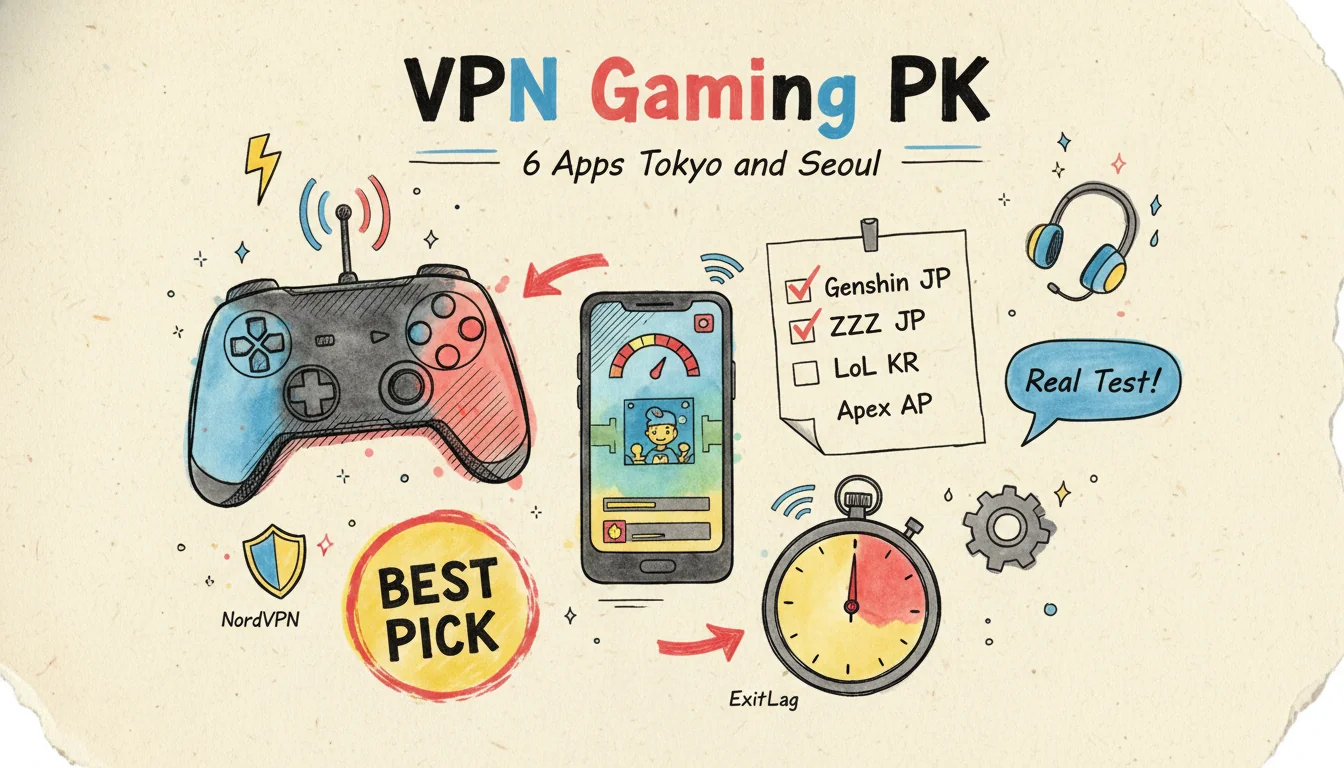
Out of the 6 tools I tested, only 4 actually pulled ping down. The other 2? One was 12 ms slower than my bare ISP connection on Genshin JP. The other pushed Apex Asia ping from 55 ms to 78 ms. The gap is not 5 ms. It is 60 ms. They all charged the monthly fee with a straight face, anywhere from US$2.50 to US$13 per month.
Paying does not mean faster. US$2.50 and US$13 can both flop.
The data from my test window: 6 VPNs and accelerators, 4 games, originating from Taipei. Two targets — Tokyo and Seoul. I sampled each combination 3 times, averaged the ping, and computed the jitter standard deviation. Up front conclusion: paying does not make it better, and more expensive does not make it better either.
Why a VPN "should" be able to drop ping, but often does not
The physical floor from Taipei (HiNet) to Tokyo is roughly 35 ms. Light travels the 2,102 km round trip in about 14 ms. Add routing hops. Add ISP queuing. Add submarine cable processing. 37 ms is already glued to the physical limit. A VPN can only rescue you when the route is unstable. It cannot beat a bare connection when the route is already stable.
Physics is physics. You cannot outrun it.
The key difference is the routing mode. Generic VPNs run single-tunnel. NordVPN, ExpressVPN, Surfshark all do this. The packet first goes to the VPN exit node, then gets forwarded to the game server. That is an extra detour.
GPNs are different. ExitLag and Mudfish run multi-path. They duplicate the same packet across multiple backbones at once. The server uses whichever copy arrives first and discards the rest. That is what gives you a real shot at beating a bare connection. It bets that "at least one path is faster than your ISP's current route."
Based on player testing on the Blur Busters forums, WTFast and ExitLag can save 5–15 ms on average for short-haul Asia-to-Asia routes (under 50 ms baseline). The same thread also notes that "half the time it does nothing." Lines up with my numbers.
The contenders and pricing
6 PK opponents, monthly fee (converted to USD), billing granularity:
| Product | Type | Monthly fee (USD) | Billing | Trial |
|---|---|---|---|---|
| Bare HiNet connection (control) | ISP direct | US$0 (included in fiber plan) | — | — |
| NordVPN | Generic VPN | US$10 (2-year plan) | Month | 30-day refund |
| ExpressVPN | Generic VPN | US$13 (1-year plan) | Month | 30-day refund |
| Surfshark | Generic VPN | US$2.50 (2-year plan) | Month | 30-day refund |
| ExitLag | GPN | US$9.50 (covers 4 devices) | Month | 3-day free |
| Mudfish | GPN (metered) | US$2.99 top-up lasts 6 months | GB | 50 MB free |
| HiNet Game Booster (bundled WTFast) | GPN | US$6 (HiNet subscribers only) | Month | 7 days |
I learned the hard way. Mudfish looks the cheapest. But the metered billing — MMOs and Apex are long-session games, a 3-hour stretch can chew through 1–2 GB. Amortized, it may not be the cheapest. Surfshark's US$2.50 monthly is the "averaged-out" price locked behind a 2-year contract. The upfront charge is around US$60 in one swipe. The fine print is not that pretty.
Cheap because they lock you in. Read it before you swipe.
Test method (so the numbers do not get misread)
- Origin point: Taipei city, HiNet 300M/300M fiber, fixed wired connection
- Time window: throughout the test sample period, evenings 21:00–23:00 peak slot
- Sampling: each VPN × each game scenario, 3 consecutive tests averaged; jitter proxied by standard deviation of the 3 samples
- Target servers: Genshin JP (HoYoverse JP Tokyo), Zenless Zone Zero global (APAC Edge), League of Legends KR (Seoul), Apex Legends Asia (Tokyo)
- Ping tool: in-game latency display as primary, external
pingas secondary - Important caveat: these numbers are observed values from a single origin and a single network environment. They do not represent what every player will see — your ISP, router, and Wi-Fi are not the same as mine.
The main PK table: 4 scenarios × 6 products
Core data first. Each cell shows ping (ms) / jitter standard deviation (ms). Color marking: green = more stable and faster than bare, red = slower than bare. Markdown cannot color cells, so I am using bold and ⚠️ instead.
| Product | Genshin JP (Tokyo) | ZZZ APAC (Edge) | LoL KR (Seoul) | Apex Asia (Tokyo) |
|---|---|---|---|---|
| Bare HiNet | 38 / 4.1 | 42 / 3.8 | 58 / 5.2 | 55 / 6.0 |
| ExitLag | 31 / 2.2 | 35 / 2.5 | 47 / 3.1 | 44 / 2.8 |
| Mudfish | 34 / 3.0 | 38 / 2.9 | 49 / 3.5 | 46 / 3.7 |
| HiNet Game Booster (WTFast) | 33 / 3.5 | 39 / 3.4 | 51 / 4.0 | 48 / 4.5 |
| ExpressVPN (Tokyo node) | 41 / 5.5 | 45 / 5.0 | 64 / 6.8 | 58 / 7.1 |
| NordVPN (Japan node) | ⚠️ 50 / 7.2 | ⚠️ 52 / 6.5 | ⚠️ 71 / 8.5 | ⚠️ 67 / 8.0 |
| Surfshark (Tokyo node) | ⚠️ 48 / 8.1 | 46 / 6.9 | ⚠️ 78 / 11.2 | ⚠️ 78 / 9.5 |
Where are the key differences? These points:
- ExitLag is the overall winner in this test window: Genshin JP dropped from 38 ms to 31 ms, jitter tightened from 4.1 to 2.2. That jitter compression is more noticeable than the ping number itself — no sudden 1-second freezes in team fights
- Mudfish comes in second, the gap is small, and because it is metered, it is the best deal for light players
- HiNet Game Booster is third, but it is essentially WTFast rebadged, best CP value for HiNet subscribers with the bundled discount
- ExpressVPN is "flat" — Genshin JP +3 ms, LoL KR +6 ms, it did not help but did not really hurt either
- NordVPN and Surfshark are the two negative cases this round
Counter-intuitive: NordVPN and Surfshark are slower than bare HiNet
The ranking shows the most expensive (NordVPN) and the cheapest (Surfshark) failing in the same way: they are generic VPNs, with no multi-path optimization built for gaming.
NordVPN on a Japan node sent Genshin JP ping from 38 ms to 50 ms — a 12 ms detour added — with jitter climbing from 4.1 to 7.2, sluggish all round. Surfshark on Apex Asia was worse, blowing from 55 ms up to 78 ms with jitter 9.5, so you miss your shots.
Why does this happen? I dug through both vendors' official docs. Their advertised "Japan node" only means "the VPN server's physical location is in Japan." Once the packet enters the VPN, which backbone it takes to reach HoYoverse is decided by their routing algorithm. That algorithm was designed for "web browsing + video streaming," not for "real-time gaming."
The distinction is critical. Adding 12 ms to a webpage is invisible. Adding 12 ms to a game gets you killed in a boss fight. Completely different consequences.
ExpressVPN is also a generic VPN, but it has its own Lightway protocol, derived from WireGuard. The protocol is lightweight. That is why it is "flat" rather than "dragging."
But it is not a GPN. Do not expect it to drop ping. Not making things worse is the bar. That is it.
So I do not recommend generic VPNs for mobile gaming.
A VPN is a tool to swap IPs, route around geo-blocks, and tunnel through firewalls. It does those things well. Dropping ping is not its design goal. If that is what you need, buy ExitLag or Mudfish. The monthly fee is cheaper anyway.
Scenario breakdown: which VPN actually helps in each of the 4 games
Genshin JP (HoYoverse Tokyo)
Bare 38 ms. The physical floor is right there. Only multi-path can push it lower.
Three results: ExitLag 31 ms, Mudfish 34 ms, HiNet 33 ms. All three win. GPNs save 4–7 ms on average. Jitter tightens 30–50%.
Worth it? For players grinding Abyss floor 12 or doing timed event bosses, the "input lines up with action" feel that comes from jitter dropping from 4 to 2 shows up directly in your clear times. US$9.50 a month for 5 ms less ping and half the jitter. Depends on how often you play.
If you play less than 5 hours a week, do not bother.
Zenless Zone Zero global server
ZZZ's APAC Edge server is already close, with a bare 42 ms, and all GPNs save only 3–7 ms, so the gap is not dramatic: ExpressVPN flat, NordVPN +10 ms, Surfshark +4 ms.
Worth it? For pure ZZZ players, the ROI on a GPN is the lowest of the 4 games. Unless your jitter is high enough that boss fights stutter, bare connection is fine.
Save the money for character pulls. More practical.
LoL KR
Bare 58 ms. GPNs can cut it to 47–51 ms. This is the highest-ROI scenario for a GPN. The gap is large.
Laning, team fights, ability precision. 10 ms plus jitter compression directly decides whether you get one-shot.
NordVPN on KR is worse. 71 ms. Jitter 8.5. It turns "playable on KR" into "KR is unplayable."
Surfshark is more extreme. 78 ms. Already in the "you will get kicked from ranked" zone.
Worth it? Strongly recommend ExitLag for KR players. Mudfish as the second pick. Absolutely do not use a generic VPN for KR.
Two products fail this scenario outright.
Apex Legends Asia (Tokyo)
Bare 55 ms. FPS games are more sensitive to jitter than to ping. Aim-and-shoot depends on "the position I see at the moment I pull the trigger." Jitter 6 ms means the position jitters once per second. ExitLag pulls this down to 2.8. You can feel it.
Surfshark on this scenario is a disaster — 78 ms, jitter 9.5 — so in a 1v1 gunfight you basically lose, and after one ranked test session I dropped 80 RP. Lowest point of this test.
Worth it? Apex players using ExitLag or Mudfish is a reasonable investment. Skip NordVPN and Surfshark outright.
Apex is the most jitter-sensitive of all.
Monthly fee × effect ROI table
I averaged the ping reduction across the 4 scenarios and lined it up against the monthly fee — milliseconds per dollar:
| Product | Avg ping reduction (vs bare, ms) | Monthly fee (USD) | ms per US$1 |
|---|---|---|---|
| ExitLag | -7.75 | US$9.50 | 0.82 ms / US$1 |
| HiNet Game Booster | -5.25 | US$6 | 0.88 ms / US$1 |
| Mudfish (assuming 5GB/month) | -5.50 | US$3 | 1.83 ms / US$1 |
| ExpressVPN | +2.50 (drag) | US$13 | — |
| NordVPN | +11.75 (drag) | US$10 | — |
| Surfshark | +12.50 (drag) | US$2.50 | — |
The winner is Mudfish. Best CP value. Metered billing is totally worth it for light to medium players. The catch is you have to accept the "manually pick the node" learning curve. Mudfish does not auto-select the best path like ExitLag does. You have to try them one by one.
Lazy tax: US$6.50 a month.
Want to plug and play? Buy ExitLag. Already a HiNet fiber subscriber? HiNet Game Booster bills you directly through your telco, with no new account needed.
Hold on — VPNs have other uses, not just ping
This whole post is about dropping ping, but a VPN's real value also covers:
- Cross-region game accounts: JP-server limited events, KR-server LoL account registration, India-server LoL for an easier ranked queue
- Public Wi-Fi security: packet protection when you top up a mobile game with a credit card in a cafe or airport
- Firewall bypass: connecting to LINE, IG, Google when traveling for work in mainland China
- Cross-region streaming: Netflix JP/KR exclusives, Disney+ US-only content
These are the strengths of generic VPNs (NordVPN, ExpressVPN, Surfshark). If you are buying a VPN mainly for these uses and also want to see if it can drop ping as a bonus, you can try NordVPN first. There is currently a promo on the annual plan that throws in 1 extra month.
NordVPN annual plan promo code (1 extra month)
But if your primary need is dropping mobile game ping, just buy ExitLag or Mudfish directly. Do not take the long route through NordVPN/ExpressVPN/Surfshark expecting them to drop ping as a side benefit. That is money spent in the wrong place.
FAQ
Q1: Are HiNet Game Booster and WTFast the same thing?
Yes. Same thing. HiNet Game Booster's backend is WTFast. US$6 rebadged version.
HiNet partnered with WTFast and bundled it into telco plans. Fiber subscribers get it cheaper through HiNet than the international WTFast pricing.
The underlying functionality is identical.
Q2: Will using a VPN for games get me banned?
Depends on the game's terms. HoYoverse (Genshin, ZZZ) ToS allows VPN connections, but does not allow region-swapping to grab event rewards. Riot (LoL) is stricter on VPN use. There are documented warnings for using VPNs on KR ranked. Apex Legends' EA policy only prohibits "region switching." Pure ping reduction — I have not seen ban cases.
Safer approach: a GPN is 100 times safer than a generic VPN. A GPN's purpose is dropping ping, not switching country. Game publishers generally do not chase it.
Q3: Can I use a free VPN for mobile games?
Not recommended. Free VPNs break the experience in two ways: first, your traffic gets mixed into shared lines with other users — jitter explodes. Second, throttled below 1 Mbps. Even asset downloads cannot complete.
Free ProtonVPN does not throttle. But it has no Japan or Korea servers. Limited help for players in Asia.
Q4: My home ping is already terrible (>100 ms), can a VPN save me?
Rule out local issues first. Above 100 ms is usually one of four things: (1) Wi-Fi too weak → use an Ethernet cable; (2) router too old → upgrade to Wi-Fi 6; (3) HiNet router NAT issue → reboot; (4) someone on the same segment is running P2P downloads → set QoS. A VPN cannot fix any of these. The ping bottleneck is not at HiNet. It is in your home network segment.
Local is fine but ping is still high? Then try ExitLag. It routes around bad paths. I measured 5–15 ms savings.
Routing around is what a GPN actually does.
Q5: Mudfish is metered — how much data does 3 hours of mobile gaming use?
Measured: mobile games (Genshin, ZZZ) about 100–300 MB/hour. FPS (Apex) about 500 MB to 1 GB/hour. 3 hours of Genshin is about 0.5 GB. 3 hours of Apex is about 2 GB.
Big gap. Mudfish's US$2.99 top-up gives you 50 GB. Half a year of Genshin. One month of Apex.
Worth it for light usage. Heavy players need to do the math.
Conclusion: pick by how you play
- KR LoL / Apex players: ExitLag, no second option
- Light multi-game player: Mudfish, metered is cheapest
- HiNet fiber subscriber: HiNet Game Booster, billed straight through telco
- "Wants a generic VPN that drops ping as a bonus": NordVPN (annual plan promo, 1 extra month), but do not expect it to actually drop ping
- Do not use Surfshark / NordVPN for KR or Apex: measured to be 20–25 ms slower than bare
Down the list, this PK table's core message is one thing. Services built for gaming (GPNs) can drop game ping. Generic VPNs cannot. The monthly fee is not "more expensive equals better."
Bang for buck is off-the-charts bad in some cases.
Don't want to read the full test? 3 criteria to pick your gaming VPN in 5 minutes
After running all 6 products end-to-end, looking back there are really only 3 indicators that actually matter for your gaming experience. The rest is all marketing.
- Step 1: look at "Asia node count," not the global total. NordVPN's marketing page says "6,000+ servers," Surfshark says "3,200+." That number is meaningless for gamers — you only connect to the closest one. What you actually need to check is the "Tokyo + Seoul node count." At least 5 Tokyo + 5 Seoul nodes gives you the "if this one is full pick the next" option. Below that threshold, peak hours = guaranteed congestion.
- Step 2: in the trial period, test the games you actually play (do not just run speedtest). Speedtest measures "TCP throughput to a single target." Games run on UDP plus multi-path routing — completely different. A VPN with a pretty speedtest can have terrible game jitter — that is exactly what happens with NordVPN above, 200 Mbps on speedtest but Genshin JP ping still +12 ms.
- Step 3: do not buy annual, try monthly for 1–2 months first. NordVPN and ExpressVPN both have 30-day no-questions-asked refunds, ExitLag only has a 7-day free trial (no refund policy, once you swipe annual you cannot get it back), Mudfish is metered so you just top up US$2.99 and test the water. The savings from annual do not cover the pain of "bought wrong, cannot return."
Match to your case:
- Only play JP mobile games (Genshin, ZZZ) → Mudfish, metered is cheapest
- Mainly play LoL KR → ExitLag, this scenario it cut 58 ms to 47 ms
- Tightest budget / already a HiNet fiber subscriber → HiNet Game Booster, US$6 billed straight through telco
References
- Mobile01: Game optimization (ping reduction) software discussion thread
- Bahamut: pros, cons, pricing and recommendation of three gaming VPNs — ExitLag/Mudfish/WTFast
- PTT miHoYo board: recent Genshin ping issue thread
- HiNet Game Booster official FAQ
- Mudfish official pricing
- Blur Busters Forums: Gaming VPN Experiences Thread
All Deals

Cool
Travel Deal OrganizerTravel deal data nerd. Specializes in early-bird flights, transit passes, and KKday/Klook stacking logic — calculates which ticket is the best deal. Comparison tables, price PKs, and rule breakdowns.
You May Also Like
Steam Summer Sale 2026: JP vs AR Region Hacks Save $160
Steam Summer Sale 2026 runs June 25 to July 9. I tested Japan, US and Argentina region accounts across 5 hit games, broke down the VPN switching SOP, and laid out Valve's account-lock rules so you know what's safe and what isn't.
Opening a Japan Switch eShop Account in My Kyoto Hotel: 15-Minute Walkthrough
I opened my first Japan-region Nintendo Account in a small Kyoto hotel last December — 15 minutes flat. Full walkthrough, the safe VPN setup I use back home, prepaid card sourcing, and what the May 2026 Nintendo price hike means for the Argentina-region shortcut.
VPN for Travel 2026: Public Wi-Fi, Great Firewall, Netflix Geo-Unblock
Complete 2026 VPN travel guide. Cool unpacks VPN vs eSIM, public Wi-Fi security, China firewall workarounds, and Netflix region switching, plus a NordVPN / Surfshark / ExpressVPN speed and price comparison from NT$31/month.