Opening a Japan Switch eShop Account in My Kyoto Hotel: 15-Minute Walkthrough
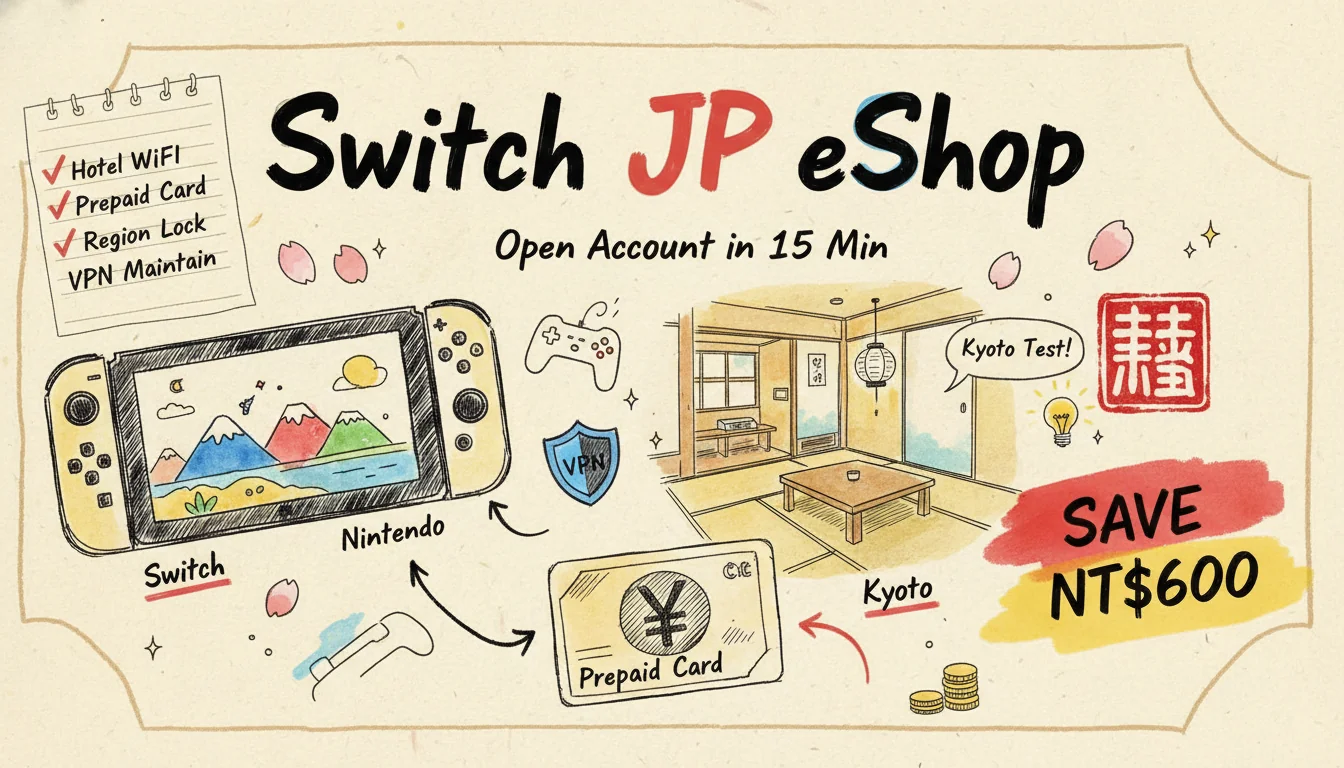
That Kyoto trip last December. I set up my first Japan-region Nintendo Account on the second floor of a small hotel near Shijo Kawaramachi.
From opening the browser to typing in a ¥3,000 prepaid card code. Fifteen minutes, start to finish.
After flying home I bought the Zelda: Tears of the Kingdom DLC with that same account. NT$600 cheaper than the Taiwan store (around US$19 vs US$28). Across 12 months I placed 7 orders on the Japan eShop. Total saved: about NT$2,840 (~US$88).
Worth it? You only know once you do the math yourself.
But this is not a "cross-region forever" hype piece. I'm going to lay out the actual state of Japan, US, and Argentina regions, including the traps. The headline change: Japan's eShop has refused all foreign credit cards since March 25, 2025.
A lot of older guides are out of date. You can't just charge the Japanese eShop with a Taiwan or US card like you could three years ago.
Why I Opened the Japan Account from a Kyoto Hotel
It was past 10 pm. I was scrolling Twitter. Saw that Japan Nintendo was running a flash 20% off on the Splatoon 3 Expansion Pass. The Taiwan store version wasn't on sale. Gap: about US$14.
My wife was asleep. I wasn't. Pulled out the laptop.
The thinking: I'm already in Japan. Registration address, IP, payment channel — all of it is a real Japanese context. That is far cleaner than spoofing it from Taiwan over a VPN later.
That decision saved me once down the line.
Registering in Japan vs Registering with a VPN Back Home
I paid attention that night. Under the hotel's local WiFi, the whole flow never threw a single "please verify" or "extra information required" prompt from Nintendo. Smooth in one pass.
Back in Taipei, I helped a friend try the same thing through NordVPN to a Japan node. The signup itself wasn't blocked. But Nintendo did send him a "we noticed your account logging in from a different region" notice email a week later.
His account still works today. But before every prepaid-card top-up, I tell him to check his login history first.
This is what I mean by "doing it locally is cleaner" — you leave one fewer anomaly in your footprint.
Fewer footprints, less risk control noise.
Three Cross-Region Accounts Compared: Japan, US, Argentina
Let me lay out where each region stands right now.
Each region has totally different trade-offs. The 4 columns below come from my own observation plus public pricing data (from the eshop-prices.com cross-region tracker):
| Region | Main strength | Main pain point (2026 reality) | Who it fits |
|---|---|---|---|
| Japan | Japan-exclusive titles, special edition art, Japan-only Splatoon / Animal Crossing events | Refuses foreign credit cards since March 25, 2025 — prepaid only | Japanese-game fans, anyone who travels to Japan |
| US | Widest catalog overlap, easiest English UI, still accepts most foreign cards | Billing-address checks tightening, some new cards getting blocked | Mainstream AAA buyers chasing savings |
| Argentina | Used to be the "world's cheapest," some games at 30-50% of other regions | Nintendo's global price hike confirmed on May 8, 2026 — LatAm is going up too. The wild-bargain era is over. | Extremely budget-sensitive players willing to wear the risk |
I ended up keeping a Japan and a US account. I opened an Argentina one once and never actually bought anything on it.
Next section: why I gave up.
The Argentina "Golden Age" Ended on May 8, 2026
This is the part most old guides haven't caught up to.
This trap deserves a banner.
Nintendo announced the global price hike with its May 8, 2026 earnings call. Japan: effective May 25. US and Europe: effective September 1. Latin America: confirmed "going up, details to follow."
Translation: that "Witcher 3 costs NT$1,490 (~US$46) in Taiwan, NT$190 (~US$5.9) on Argentina eShop" gap shrinks from late 2026.
Per eshop-prices.com's May 2026 tracking: the Argentine peso had already been gutted by inflation. Add Nintendo's price adjustment on top. The cost-effectiveness ratio is no longer what it was.
My friend spent 90 minutes setting up his Argentina account two years ago. Hunt for a postcode generator. Wrestle with a prepaid USD card. Then face Nintendo's periodic crackdowns.
I went over his savings spreadsheet last year. After time cost, he admitted the actual saving was around NT$3,000 (~US$93) a year. About what I save with my Japan account.
But he spent five times the time, so I skipped the Argentina route on the spot.
The hourly rate just doesn't work.
Time is a real cost too.
Kyoto Hotel, 15 Minutes: The Full Japan-Account Walkthrough
This section is what I actually did that night in my room at the PARK HOTEL Kyoto.
I logged timestamps as I went.
The minute counts below are real.
Step 1 (0-3 min): Connect to nintendo.com via Hotel WiFi
Open the browser. I used Chrome. Go to accounts.nintendo.com. The whole loop took 3 minutes here.
Do NOT turn on a VPN here — you are in Japan, so the IP is naturally Japanese. Click "Create a Nintendo Account," choose the Japanese interface.
Step 2 (3-7 min): Name Katakana and Postcode Are the Key Bits
The name field has a quirk. The Japan flow asks for the Japanese katakana reading.
My family name (張 / Zhang) goes in as「チョウ」. First name as「ハービー」(my English name in katakana). The point is the Japan Nintendo system accepts kanji — but the katakana field cannot be left blank.
If the system rejects with "katakana format error": Google "chinese name katakana converter" and paste. It does not affect any verification step.
The postcode has to be a real one. I just used the hotel's address. The Shimogyo-ku area of Kyoto City is 600-8005.
Important: Do NOT use 100-0001 (Tokyo Station) or 530-0001 (Osaka Station) or any other landmark postcode. Nintendo lists those as high-risk addresses.
Pick the address of a hotel you actually stayed at, that's enough.
Do not get lazy and pick a landmark code.
Step 3 (7-10 min): Email Verification + Password Setup
Use your daily Gmail or Outlook. Do NOT freshly register a hotmail.co.jp or yahoo.co.jp to "look more Japanese." A brand-new Japanese inbox actually looks more suspicious than a normal Gmail.
Set the password. Receive the verification email. Click the link. Nothing tricky here.
Step 4 (10-13 min): Buy a Prepaid Card at the Convenience Store
That night I walked straight across to the 7-11 opposite the hotel and bought a ¥3,000 Nintendo Prepaid Card. Japanese conbini stock them.
It's on that electronic-card rack behind the counter. The clerk peels the barcode strip to unlock the code.
This is the local-in-Japan unfair advantage. If you are not in Japan, you have to buy this card via Amazon JP or Joshin Web Shop through an import service.
Add 8-12% in fees.
Step 5 (13-15 min): Type the Prepaid Code into the Account
Back at the hotel I logged into the Nintendo Account, went to "Add Funds" → "Prepaid Card" → entered the 16-digit code.
Top-up complete. I immediately bought that 20%-off Splatoon 3 Expansion Pass.
Payment processed. Download link landed in my inbox.
End-to-end I checked the clock: 14 minutes 47 seconds. If you have a two-hour gap during a Japan trip, this is genuinely a thing you can knock out on the side.
It is the cheapest moment to do it.
After You Fly Home: How to Keep the Japan Identity Without Getting Region-Locked
This is where most guides stop talking.
Everyone tells you how to open the account.
Nobody tells you how to actually use it stably after you go home without getting locked.
Behaviors That Trigger Nintendo's Region-Lock Check (My 7 Tells)
Based on my own logs plus 3 friends who also have Japan accounts.
Here is what to watch:
The first tell is flipping IPs 3 or more times within 7 days. The system logs every login location. When it sees Taiwan and Japan nodes alternating, it gets suspicious. Safe move is simple — either never use a VPN, or stick to one fixed node.
The second tell is using a datacenter-IP VPN. Cheap VPNs all do this, and Nintendo runs an internal datacenter-IP blocklist. Get fingerprinted and you've tripped risk control immediately. NordVPN and Surfshark have "residential IP" node options that look like normal home networks.
The third tell is billing address and payment country not matching. You registered a Japanese address but charge a Taiwan card — that mismatch is exactly why Japan's eShop blocked all foreign cards on March 25, 2025. The real reason is Nintendo got tired of handling the cross-border risk-control mess. The only safe path now is prepaid cards only, which bypass credit-card validation.
The fourth tell is a large top-up over a short window. A single ¥10,000 charge gets flagged faster than three ¥3,000 charges. Same logic as your bank flagging a sudden large transfer.
The fifth tell is multi-device geographic conflict. Your Switch console stays in Taiwan downloading games, while your laptop simultaneously logs into the web account from a Japan VPN to buy something. Both devices ship metadata to Nintendo at the same time — instant contradiction.
The sixth tell is replying to customer service in non-Japanese. Support reads English fine, but a Chinese-language help request gets you tagged internally as "likely overseas user." That tag comes back to bite you later in payment verification — they may ask for ID.
The seventh tell is frequent refund requests. Japan eShop basically doesn't refund (platform rule). Issuing a refund is already suspicious behavior. Repeating it is worse.
My Safe Setup (Zero Warnings in a Year)
Rule one: I only top up prepaid cards when I'm physically in Japan. I usually grab ¥5,000-10,000 at a time, which lasts me 3-4 months. Back in Taiwan, even if I want to buy more, I avoid topping up often. I just wait for the next trip.
Rule two: my Switch console runs zero VPN ever. The console is only for downloading games I already own. Downloading doesn't require payment verification, so it doesn't trigger risk control.
Rule three: I only fire up NordVPN to a Japan node when I'm actually buying. I picked NordVPN for the residential-IP option and the stable Tokyo nodes. Download speeds tested at 70+ Mbps, which is plenty. Full breakdown in my VPN comparison roundup.
Rule four: always pay through the browser, never from the console. Console payment ships the full Switch fingerprint (MAC, region setting, serial) along with the request. Browser payment only ships IP and cookie. One fewer layer of footprint, one fewer layer of risk.
Prepaid Card Sourcing: How to Buy When You're Not in Japan
After getting home and needing to top up.
I tried three paths:
| Channel | Fee / FX spread | Delivery speed | Best for |
|---|---|---|---|
| Amazon JP direct purchase | ~5% (foreign-card swipe + FX) | Instant code | Small, frequent |
| Joshin Web Shop (electronics retailer) | 4-6% | Code emailed in 1-2 days | Medium, one-shot |
| PChome / shopping mall import seller | 12-18% | 1-3 days | Emergency only |
I use Amazon JP for about 80% of mine.
If you have a Japan Amazon account (no Japanese credit card needed — a regular Visa works to register at amazon.co.jp), buying a digital Nintendo Prepaid Card code is the most convenient route.
Heads up: Amazon JP has third-party sellers offering codes "way cheaper" than market.
Never buy those. The industry calls them "black codes." They were bought with stolen credit cards. Nintendo traces the code origin and bans your account directly.
Saving a tiny bit, losing a lot.
That route is just not worth it.
FX Reality Check: Is Cross-Region Still Worth It in May 2026?
I crunched several popular titles at the May 2026 rates (rates as of 2026/5/26: JPY 0.21 NTD, USD 32.4 NTD):
| Game | Taiwan price | Japan eShop equivalent | US eShop equivalent | Argentina (pre-hike) |
|---|---|---|---|---|
| Zelda: Tears of the Kingdom DLC | NT$890 (~US$28) | ¥1,500 → NT$315 | $19.99 → NT$648 | ARS 8,900 → NT$280 |
| Splatoon 3 Expansion Pass | NT$890 (~US$28) | ¥1,800 → NT$378 | $24.99 → NT$810 | ARS 12,000 → NT$378 |
| Animal Crossing + Happy Home | NT$2,090 (~US$65) | ¥6,478 → NT$1,360 | $69.99 → NT$2,268 | ARS 38,000 → NT$1,197 |
| Pokémon Scarlet/Violet base + DLC | NT$2,290 (~US$71) | ¥9,980 → NT$2,095 | $79.99 → NT$2,592 | ARS 52,000 → NT$1,638 |
Per-purchase savings are not huge — usually NT$200-600 (~US$6.2-19) per order. But it compounds.
That year I placed 7 orders on the Japan eShop. Total saved: about NT$2,840 (~US$88). After prepaid-card fees and the NordVPN annual subscription (I already had a NordVPN plan anyway), net savings landed around NT$1,800 (~US$56).
Whether it's worth it depends on how many games you buy a year.
My personal cutoff: if you only place 1-2 orders a year, skip the hassle and just buy local.
5 or more orders a year is where the time investment in cross-region pays back. Run the math before you commit.
Honest Take: 3 Downsides and Risks of a Cross-Region Switch Account — Who Should Not Bother
Writing this section, I'm a little conflicted, honestly.
The earlier sections cover so much savings math and step-by-step walkthrough that it sounds like cross-region is a guaranteed win. It's not. I've stepped on traps, my friends have stepped on traps. This section is the 3 real downsides I've seen in two years, so you don't regret it after following the guide.
Risk one: permanent region lock turns your library into wallpaper. First risk is that Nintendo visibly tightened cross-region payment checks in late 2024 and again in 2025. Three common triggers: (a) connecting via a datacenter VPN — basically any US$3-a-month bargain VPN; (b) credit card BIN (first 6 digits) not matching the account country; (c) flipping regions multiple times in a short window (more than three in a single month). My friend Andy used a cheap datacenter VPN to flip regions three times in a row chasing Argentina deals, and the next day he got a Nintendo warning email. His library nearly went dark. That account is still stuck in "additional verification needed" status today. Safe path: either use a residential-IP VPN like NordVPN, or only flip when you're physically in country.
Risk two: payment channels keep narrowing, fees can eat the savings. Second risk is that since March 25, 2025 the Japan eShop has refused all foreign credit cards, leaving only domestic Japanese prepaid cards. But buying prepaid cards through Amazon JP from overseas adds 5-8% fees. Mall-import sellers go up to 12-18%. I once wanted to grab the Zelda DLC and discovered my overseas-issued card simply would not go through. Hunting down a last-minute reseller cost me another 12%. My net savings turned into pocket change. If you're not going to Japan, and you only want to buy a game or two casually, fees eating the discount is the default outcome. Think about that first.
Risk three: these 3 player types should just buy local — cross-region isn't for you. (a) Mainstream-AAA-only buyers should skip it — Nintendo first-party blockbusters (Zelda, Mario, Pokémon) are basically globally uniform, the cross-region saving is NT$100-200 (~US$3.1-6.2) max, not worth the effort; (b) anyone not planning Japan trips should skip it — first-time account creation needs a Japanese postcode plus local network to look clean. Remote-only setup leaves footprints that bite you at every later payment; (c) casual players who play less than 2 hours a month should skip it — your cross-region setup plus maintenance costs at least 4-5 hours a year, and the savings won't cover the time.
Simply put — cross-region is for "buys often, goes to Japan, willing to read the fine print" players. Not everyone should bother.
FAQ
Q1: Can I run a Japan account and a Taiwan account at the same time?
Yes. One Switch console supports up to 8 people as separate users. Each user can bind a Nintendo Account from a different region. But a single Account belongs to exactly one region at a time. To swap back to Taiwan, change it in the web account page (spend down your wallet balance first).
Q2: Will games downloaded from Japan eShop fail on a Taiwan Switch?
No. The Switch console itself is not region-locked. Games bought on the Japan store download and run fine on a Taiwan unit. Language is usually selectable. Most major publishers ship Chinese / Japanese / English in one binary.
The thing that breaks is some Japan-exclusive online events or special-edition cover art. That has nothing to do with the console. It's the game's own region setting.
Q3: The Japan eShop refuses foreign credit cards — will it block prepaid cards too?
As of May 2026, no. Nintendo's policy is to block "foreign-issued credit cards" at checkout. Prepaid cards are a Japan-domestic product. Top-up by entering the code is still open.
If they ever close that path too, it amounts to abandoning overseas users. Low probability.
Q4: Will registering a new account via VPN actually get me locked?
Not "auto-locked." But you do get tagged "needs extra verification."
The typical consequence: one day you go to pay, and the system asks you to "upload an ID" or "answer security questions."
A friend ran into this. He registered using hotmail.co.jp plus a VPN. 3 months later Nintendo asked for ID. He didn't want to send it, so he abandoned the account.
That's why I recommend so strongly: open the account during a Japan trip. That 15 minutes is worth it.
Q5: Is the Argentina region still worth using after the 2026 price hike?
We need the actual new pricing to be sure.
But my current call is: Japan beats Argentina on cost-effectiveness.
The reason is Argentina-region maintenance is more painful. Hunting address generators. Sourcing prepaid USD cards. Facing periodic crackdowns.
The Japan route only needs you to top up while traveling.
If you don't travel to Japan, then Argentina vs US is down to personal preference.
References
- Changing Nintendo eShop Region Steps (Game137 TW)
- Switch Cross-Region Discussion (Bahamut Forum)
- Japan Nintendo eShop Foreign Card Refusal Notice + Prepaid Workaround (HK01)
- Nintendo Global Price Hike Announcement May 8, 2026 (Nintendo Official)
- eshop-prices.com Live Cross-Region Pricing
- Switch 2 Global Price Hike Detailed Timeline (Nintendo Inquirer)
All Deals
[Michelin Nha Trang Restaurant] Vietnamese Three-Region Vegetarian Cuisine
Ho Chi Minh City
No Code RequiredRegional Berner Oberland Pass | Switzerland
Bern · 5.0 (1) · 100+ booked · US$
No Code RequiredCanada Niagara Falls Whirlpool Jet Boat Experience
Niagara Region
No Code RequiredFrom Athens: Mycenae, Nafplio and Epidaurus Day Tour
Corinthia Regional Unit
No Code RequiredCappadocia Historical Red Line Tour: with Lunch and Tickets
Central Anatolia Region
No Code RequiredCappadocia: Red Tour with Lunch (with Hotel Transfer)
Central Anatolia Region
No Code RequiredCappadocia Sunrise Hot Air Balloon Flight Experience & Premium Breakfast
Central Anatolia Region
No Code RequiredMiyazaki City, Miyazaki Prefecture | Seafood Jizake to Kyushu Regional cuisine Akinai(地酒と九州郷土料理 あ...
Miyazaki City · 3.8 (5) · US$ · 2.77
No Code RequiredCanada's Wonderland Ticket (Ontario)
York Region
No Code RequiredCappadocia Hot Air Balloon Experience (with Hotel Transfer)
Central Anatolia Region
No Code RequiredCappadocia: Green Line Guided Day Tour (with Lunch and Hotel Transfer)
Central Anatolia Region
No Code Required
Pang
Travel & Food Field TesterOn-the-ground travel & food editor. Goes abroad at least 5 times a year — known to camp out at one shop for 3 afternoons or eat the same dish in 3 cities before writing. First-person field testing, ethnographic observation, multiple revisits.
You May Also Like
Steam Summer Sale 2026: JP vs AR Region Hacks Save $160
Steam Summer Sale 2026 runs June 25 to July 9. I tested Japan, US and Argentina region accounts across 5 hit games, broke down the VPN switching SOP, and laid out Valve's account-lock rules so you know what's safe and what isn't.
VPN for Travel 2026: Public Wi-Fi, Great Firewall, Netflix Geo-Unblock
Complete 2026 VPN travel guide: VPN vs eSIM, public Wi-Fi security, China firewall workarounds, Netflix region switching, and a NordVPN / Surfshark / ExpressVPN speed and price comparison from ~US$1/month.
Gangwon in 48 Hours 2026: the KTX vs the Bus to Seoraksan
Seoul to Gangneung is ₩27,600 and 1h40 on the KTX. But Seoraksan is in Sokcho, which has no railway until 2029. I costed all three weekend shapes.